
Contact Form 7 is our recommended form plugin for WordPress. It is a simple but powerful form creator for WordPress. Here we will show you how to use Contact Form 7 to create and edit a basic form.
After Contact Form 7 is installed, you will find a new menu item in your WordPress admin area called Contact, here is where your forms and created and edited. From the Contact main screen, you will see your first contact form, it`s usually a default form called Contact Form 1 OR if you have imported the demo data for Siberia you may see a few forms that we have made specially for you
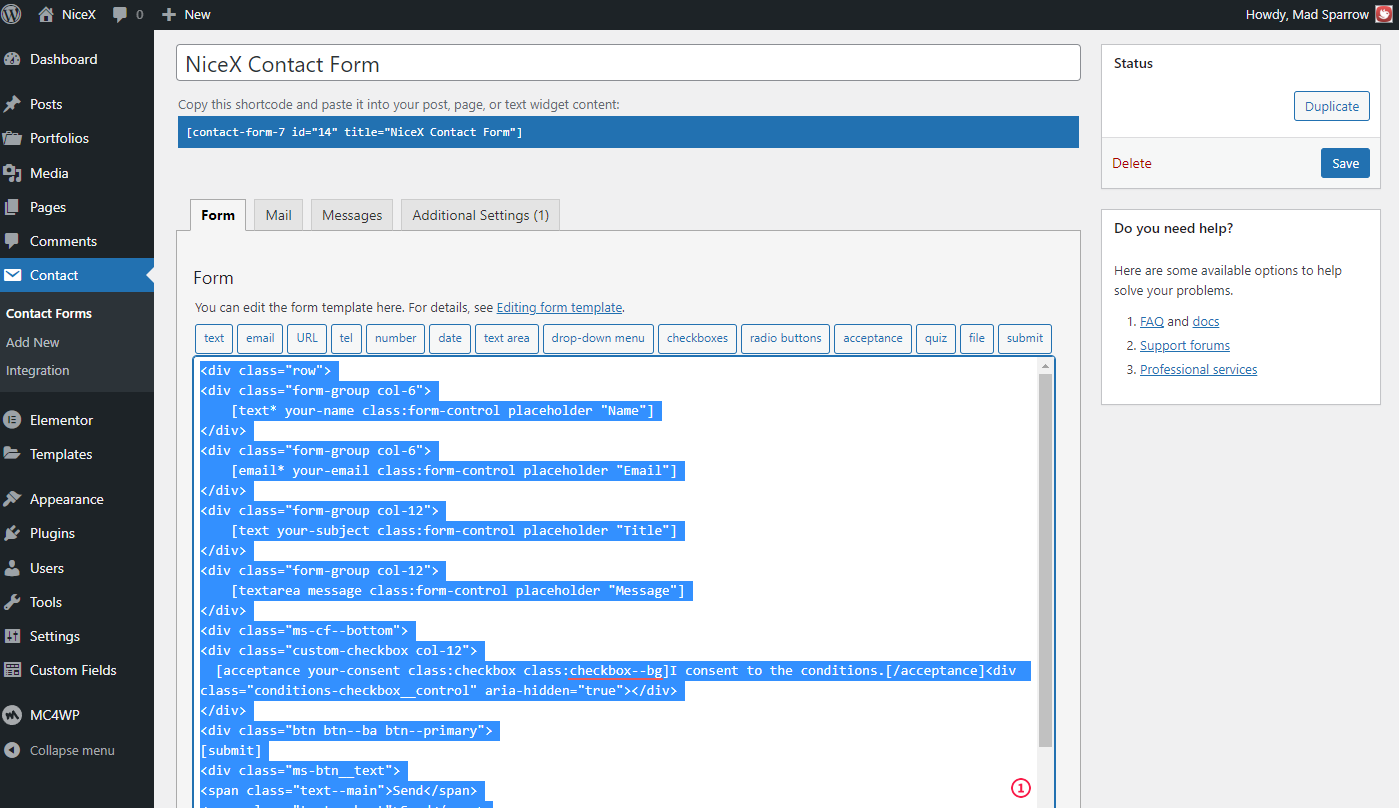
Please use form structure as demonstrated in theme. Just copy and paste the code.
    [text* your-name class:form-control placeholder "Name"]


    [email* your-email class:form-control placeholder "Email"]


    [text your-subject class:form-control placeholder "Title"]


    [textarea message class:form-control placeholder "Message"]


  [acceptance your-consent class:checkbox class:checkbox--bg]I consent to the conditions.[/acceptance]

[submit]SendSend
More details about the plugin on the official website. link