
Animated Headline is a custom widget built on top of Elementor’s native Heading widget, extended with additional animation effects and styling options. It allows you to create eye-catching headlines with unique text entrance effects, scroll-triggered animations, and full light/dark mode color control — giving you more creative flexibility than the standard Elementor heading out of the box.
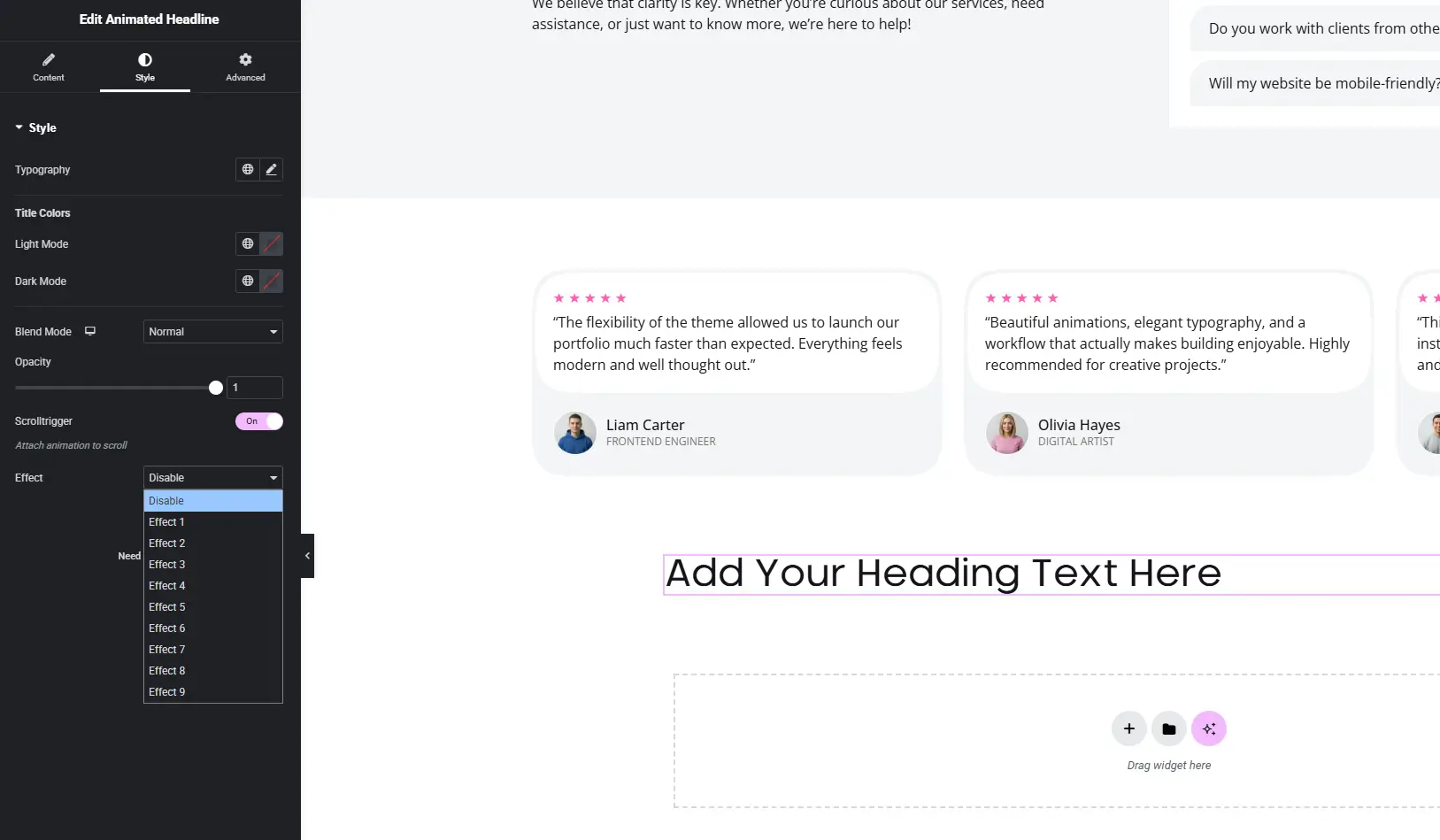
Typography — Set the font family, size, weight, and other typographic properties for the headline.
Title Colors
- Light Mode — Choose the headline color displayed in light theme.
- Dark Mode — Set a separate color for dark theme visitors.
Blend Mode — Controls how the headline blends with elements behind it (e.g., Normal, Multiply, Screen, Overlay). Useful for layering text over images or backgrounds.
Opacity — Adjust the overall transparency of the headline from 0 (invisible) to 1 (fully visible).
ScrollTrigger — When enabled, the animation is attached to the scroll position, so the headline animates as the user scrolls through the section rather than playing immediately on page load.
Effect — Choose a text animation effect applied to the headline:
- Disable — No animation effect.
- Effect 1–9 — A selection of preset animation styles ranging from fade and slide to more expressive typographic effects. Each effect gives the headline a unique entrance or motion behavior.